
GPT Image 2 Hairstyle Previews: Image, Edit, or Report?
Choose a GPT Image 2 hairstyle preview by output: inspiration image, portrait edit, or hair report. Learn what each can and cannot tell you.
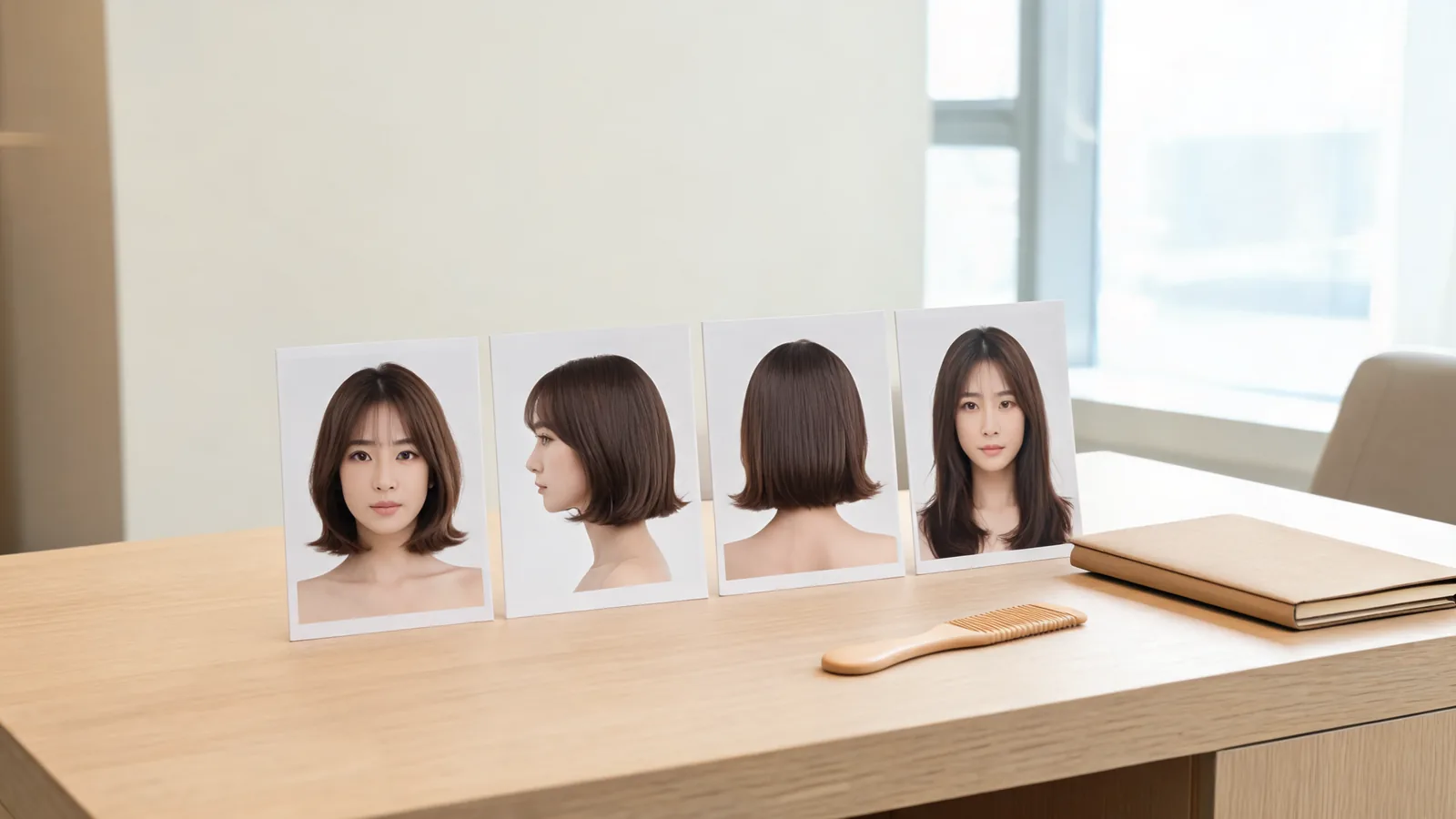
For a GPT Image 2 generator with hairstyle previews, choose the output before the prompt: a generated image for inspiration, a portrait edit to test a named cut on your own face, or a hair report for one suggested cut and color shown from three angles. The AI hairstyle changer offers Hair Edit and Hair Report as separate choices.
Last updated: October 12, 2026 · about 8 min read
These outputs answer different questions. A beautiful image of someone with a bob can show a style direction without telling you how that bob might frame your face. An edit can explore that framing without recommending a complete new look. A report can offer a direction and explain it, but its extra views do not turn it into a photograph of your real head.
This guide is written by the AIChangeHair Editorial Team for our own product. It explains the choices available in the studio and the limitations of generated references; it does not rank generators or claim personal salon results. The cover is an illustrative consultation scene, not an example of the app's report layout.
What does GPT Image 2 describe, and what does the app add?
As of October 12, 2026, OpenAI's GPT Image 2 model documentation lists image generation and editing, with text and image inputs and image output. Its image-editing API reference describes supplying source images together with a prompt to create an edited or extended image.
Those capabilities do not specify a universal hairstyle interface. A website using an image model decides which controls, presets, output formats, and workflows to offer. A report is a particular application's requested layout, not a feature that every GPT-branded generator necessarily includes.
In AIChangeHair, Hair Edit lets you choose a hairstyle or color, or describe a hair change. Hair Report offers one suggested hairstyle and one color on a board with front, side, and back views and explanatory text. If you already have a precise haircut in mind, a single portrait edit usually gives you a cleaner answer than asking for an open-ended recommendation.
Which output answers my hairstyle question?
| Output | Best question for it | Input you need | What it cannot establish |
|---|---|---|---|
| Generic generated hairstyle image | What might this style direction look like? | A description; a portrait is not essential to the concept | Whether the cut suits your actual face or hair |
| Controlled portrait edit | How might this specific cut or color look on me? | Your portrait and a named change | Actual density, cutting technique, or daily styling effort |
| Structured hair report | What is one new cut-and-color direction I could discuss? | Your portrait and the report workflow | A professional consultation or verified unseen head views |
Do not choose by the number of pictures. Three views help you discuss overall shape. One clear front-facing edit may be enough to decide whether you like a fringe. Choose the smallest output that answers the decision you are making now.
For instance, “I want a shorter outline but don't know which direction” is a reasonable report question. “Would eyebrow-length bangs cover my brows too much?” is better suited to the bangs filter, where the visible change is specific. “Show me editorial inspiration for a wavy bob” can be answered by a generic image even before you upload a portrait anywhere.
When is a generic hairstyle image enough?
Use a generated inspiration image when you are still building vocabulary. You might want to understand the difference between a blunt outline and a layered one, or collect a rough idea of a shoulder-length cut before deciding what to try on yourself.
Describe the haircut itself: length, outline, fringe, part, and texture. Keep unrelated details simple. A fashion campaign setting, dramatic makeup, or lighting can make a hairstyle look appealing for reasons that will not transfer to your everyday life.
Check whose face the image actually shows. Unless the output is anchored to your portrait through an editing workflow, you are looking at a fictional model or an interpreted person. Do not treat their face shape, hairline, or density as information about yours. Save the image as inspiration and write down the specific element you want to explore next.
Once you can name the change, use a portrait edit if seeing it around your own face would resolve your hesitation.
When should I choose Hair Edit?
Choose Hair Edit when you already know the variable you want to test. Good questions include whether you prefer a chin-length or collarbone-length outline, whether curtain bangs should reach the cheekbones, or whether a cooler color direction feels right in your normal photo.
Use one current portrait with a visible hairline and even lighting. Keep that original as your baseline for every edit.
A simple three-step workflow keeps the comparison useful:
- State the decision. Write “compare a collarbone-length lob with my current length” rather than “give me a perfect makeover.”
- Select one change. Choose a hairstyle or color in Hair Edit, or describe the hair change. Ask to preserve the non-hair details when writing a custom request.
- Judge that change against the original. Keep only a result where you still recognize your face and the requested detail is visible. Download it with a short note about what you like.
For color alone, use the AI hair color changer to keep the question focused. If a blonde direction is your main decision, the blonde hair color changer provides a relevant starting point. A color preview is a visual discussion aid, not a salon formula or a guarantee about the processing your hair will need.
A controlled edit can still change details you did not request. Reject a face that looks different, a hairline that floats, or a fringe that merges into the eyes. The reference-photo checklist for a GPT Image 2 hairstyle editor covers that review in more detail; choosing the right output comes before that checklist.
When should I choose Hair Report?
Choose Hair Report when you want one proposed new direction rather than a specific edit you have already named. It combines a suggested hairstyle and color with front, side, and back views and explanations.
Each report offers one cut and one color. Check that the fringe, length, and shade agree across its three views.
Read the recommendation as a starting point. Separate the useful description of shape from claims that sound more certain than the photo can support. A report may call attention to face framing, but it cannot feel your strands, inspect your growth pattern, or observe your normal styling routine.
If the proposal appeals to you, identify the part you want to retain. Perhaps you like the shorter outline but want your original shade, or like the warmer color but want more length. A subsequent Hair Edit can explore that specific question. That is a separate generation; check the displayed cost before submitting it.
A generated recommendation is an option to consider. It is not a rule about which hairstyle a person must wear, and a flattering-looking report is not a professional assessment of the hair itself.
Are the side and back views real pictures of me?
No. If you supplied a front-facing portrait, the generated side and back views are suggestions for how the proposed style could look from other angles. They do not recover details absent from the input photo.
That distinction matters around the crown, ears, neckline, and nape. A plausible view may invent fullness, growth direction, or the way hair sits behind an ear. Even if the face looks consistent, the view does not measure your real skull shape or reveal an actual hidden hairline.
Use those panels to ask better questions: “Would this nape length work with my growth pattern?” or “Would this crown shape require styling every morning?” Bring real side and back photographs if those areas are central to your decision. A stylist can compare the reference with your actual hair instead of relying on the generated interpretation.
For the same reason, never present a report's panels as real after photographs. Label saved files as generated hairstyle references. That keeps their purpose clear when you show them to a stylist, friend, or anyone helping with the decision.
How do I turn the right output into a salon discussion?
Save the original portrait and one result that answers your question. Under it, note the detail you prefer and the detail you would change. “Keep the airy fringe, but leave the sides longer” is more actionable than handing over a board and asking for everything in it.
Then add information an image cannot supply: your usual styling time, how your hair behaves after washing, whether the crown lies flat or lifts, and how much length you are willing to lose. Ask the stylist which parts of the reference can translate to your texture and routine.
If you need to return to a recent request before downloading it, use the preview recovery guide. Saving a useful reference is easier when you finish one decision before filling your history with variations. The AI hair preview limitations guide helps separate visible style preferences from questions that need an in-person answer.
Frequently asked questions
Does every GPT Image 2 hairstyle generator include a hair report?
No. An image model can support generation and editing, while an app chooses the workflow and layout. AIChangeHair offers Hair Edit and Hair Report separately; other services may offer different controls or only single images.
Should I use Hair Edit or Hair Report for a specific haircut?
Use Hair Edit when you already know the haircut or color you want to test. Use Hair Report when you want one suggested new cut-and-color direction with explanatory text and three generated views.
Does a hair report show several recommended hairstyles?
An AIChangeHair report offers one suggested hairstyle and one color, shown from front, side, and back. Those views illustrate the same proposal rather than several separate recommendations.
Can a front-facing selfie reveal my real hair from behind?
No. A generated back view is a suggestion, not a recovered photograph of information missing from your selfie. Use real side and back photos and a stylist consultation for decisions about your actual crown, nape, and growth direction.
Related guides
- Open the AI hairstyle changer →
- AI hair color changer
- Bangs filter
- Best selfie for a hairstyle app
- AI hair preview stylist checklist
Save a useful reference
Use the AI hairstyle changer for your next hair decision, and download the result you want to discuss before your salon appointment.